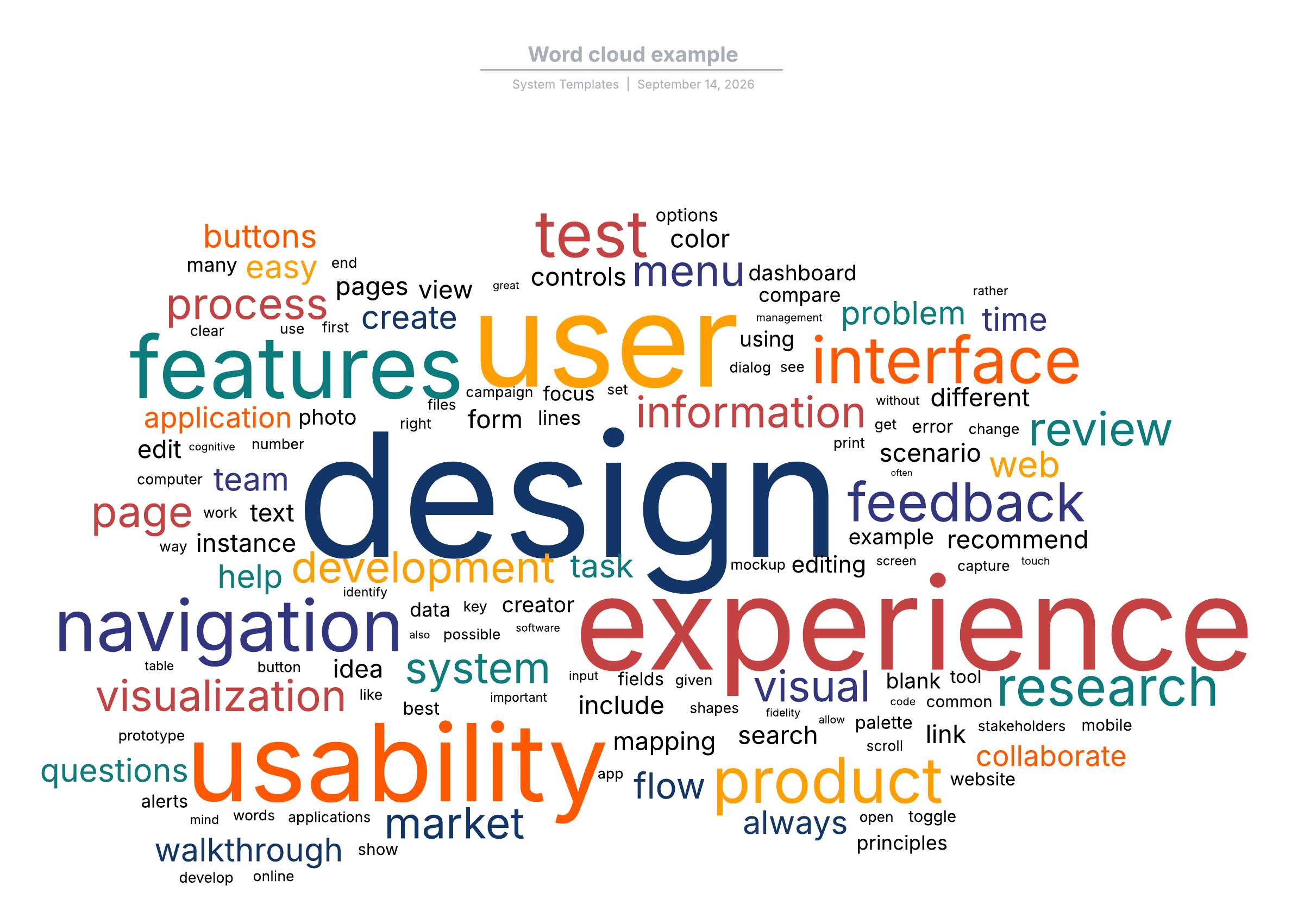

Word clouds are a popular and visually appealing way to represent textual data. They provide a quick and intuitive understanding of the most frequent words in a given text, making them useful for various applications, from data analysis to educational tools. This post will delve into the world of word clouds, exploring their creation, applications, and some fascinating Word Cloud Examples.
Understanding Word Clouds
A word cloud, also known as a text cloud or text sprite, is a visual representation of text data. The size of each word in the cloud is proportional to its frequency or importance in the text. This visual tool helps to identify the most prominent themes or topics within a body of text quickly.
Word clouds are generated using specialized software or online tools that analyze the text and create a visual representation. The process involves several steps:
- Text Collection: Gather the text data you want to analyze.
- Text Preprocessing: Clean the text by removing stop words (common words like "and," "the," "is") and punctuation.
- Word Frequency Analysis: Count the frequency of each word in the text.
- Visualization: Create the word cloud by plotting the words with sizes proportional to their frequencies.
Creating Word Clouds
Creating a word cloud can be done using various tools and programming languages. Here are some popular methods:
Using Online Tools
There are several online tools available that allow you to create word clouds without any programming knowledge. Some popular options include:
- WordClouds.com: A user-friendly tool that allows you to paste text or upload a file to generate a word cloud.
- WordItOut: Another easy-to-use tool that offers customization options for colors, shapes, and fonts.
- TagCrowd: A simple tool that generates word clouds from text and provides additional features like tag filtering.
Using Python
For those who prefer a more customized approach, Python offers powerful libraries for creating word clouds. The most commonly used library is WordCloud.
Here is a step-by-step guide to creating a word cloud using Python:
- Install the necessary libraries:
pip install wordcloud matplotlib - Import the libraries and create a word cloud:
from wordcloud import WordCloud
import matplotlib.pyplot as plt

# Sample text
text = "Word clouds are a popular and visually appealing way to represent textual data. They provide a quick and intuitive understanding of the most frequent words in a given text, making them useful for various applications, from data analysis to educational tools."

# Create a WordCloud object
wordcloud = WordCloud(width=800, height=400, background_color='white').generate(text)

# Display the word cloud using matplotlib
plt.figure(figsize=(10, 5))
plt.imshow(wordcloud, interpolation='bilinear')
plt.axis('off')
plt.show()
💡 Note: Ensure you have the necessary libraries installed before running the code. The sample text can be replaced with any text data you want to analyze.
Applications of Word Clouds
Word clouds have a wide range of applications across various fields. Here are some notable uses:
Data Analysis
Word clouds are often used in data analysis to quickly identify the most frequent terms in a dataset. This can help in understanding the main themes or topics within the data. For example, analyzing customer reviews to identify common issues or sentiments.
Education
In educational settings, word clouds can be used to help students understand the key concepts in a text. Teachers can generate word clouds from reading materials to highlight important terms and encourage discussion.
Marketing
Marketers use word clouds to analyze social media posts, customer feedback, and other textual data to gain insights into consumer preferences and trends. This information can be used to tailor marketing strategies and improve customer engagement.
Content Creation
Content creators, such as bloggers and journalists, can use word clouds to identify the most frequently used words in their articles. This can help in optimizing content for search engines and ensuring that key topics are adequately covered.
Word Cloud Examples
To better understand the versatility of word clouds, let's explore some Word Cloud Examples across different domains:
Literary Analysis
Word clouds can be used to analyze literary works. For instance, a word cloud of Shakespeare's "Hamlet" would highlight words like "king," "polonius," "to be," and "denmark," giving a quick overview of the play's themes and characters.

Social Media Analysis
Analyzing social media posts can provide valuable insights into public opinion and trends. A word cloud of tweets about a recent event, such as a sporting match or a political debate, can reveal the most discussed topics and sentiments.
Customer Feedback
Businesses can use word clouds to analyze customer feedback and reviews. A word cloud of customer reviews for a product can highlight common issues or positive aspects, helping the company improve its offerings.
Customizing Word Clouds
Word clouds can be customized to better suit specific needs and preferences. Here are some customization options:
Colors
You can change the color scheme of the word cloud to make it more visually appealing or to match a specific theme. Most tools and libraries allow you to choose from predefined color palettes or create custom color schemes.
Shapes
Word clouds can be shaped to fit specific designs or themes. For example, you can create a word cloud in the shape of a heart for a romantic theme or a star for a celestial theme. This adds a creative touch and makes the word cloud more engaging.
Fonts
Choosing the right font can enhance the readability and aesthetic appeal of the word cloud. Many tools offer a variety of fonts to choose from, allowing you to select one that best fits your design.
Advanced Word Cloud Techniques
For those looking to take word clouds to the next level, there are advanced techniques and tools available. These techniques can provide deeper insights and more customized visualizations.
Sentiment Analysis
Combining word clouds with sentiment analysis can provide a more nuanced understanding of the text. By coloring words based on their sentiment (positive, negative, neutral), you can visualize the emotional tone of the text.
Topic Modeling
Topic modeling techniques, such as Latent Dirichlet Allocation (LDA), can be used to identify and visualize the main topics within a text. This can be combined with word clouds to create a more detailed and informative visualization.
Interactive Word Clouds
Interactive word clouds allow users to click on words to get more information or filter the data. This can be particularly useful for exploring large datasets and gaining deeper insights.
Challenges and Limitations
While word clouds are a powerful tool, they also have some limitations and challenges:
- Loss of Context: Word clouds do not preserve the context of the words, which can lead to misinterpretations.
- Frequency Bias: Words that are frequent but not meaningful (e.g., names, dates) can dominate the word cloud.
- Visual Clutter: Large word clouds can become visually cluttered, making it difficult to interpret.
To mitigate these challenges, it's important to preprocess the text carefully and choose the right customization options.
Word clouds are a versatile and visually appealing tool for representing textual data. They provide a quick and intuitive understanding of the most frequent words in a given text, making them useful for various applications, from data analysis to educational tools. By exploring different Word Cloud Examples and customization options, you can create word clouds that are both informative and engaging. Whether you’re using online tools or programming languages like Python, word clouds offer a powerful way to visualize and analyze text data.
Related Terms:
- word cloud generator for classroom
- easiest free word cloud generator
- wordclouds free
- free easy word cloud generator
- word cloud for presentation
- quick word cloud